Let's set up Pomodoro Method
Boost your productivity and stay focused
1
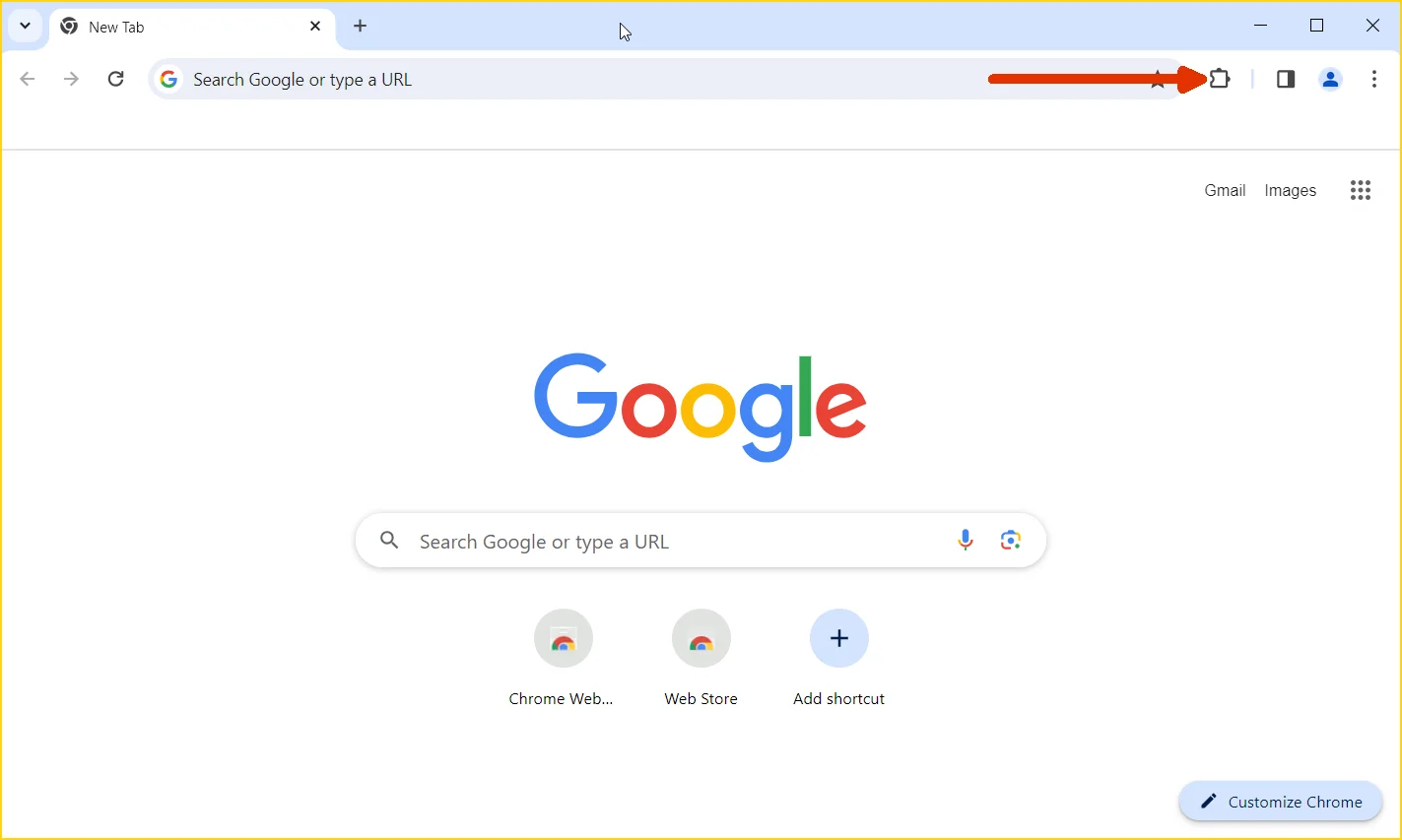
Open Chrome Extensions page
Navigate to
chrome://extensions or click the three-dot menu → More tools → Extensions
2
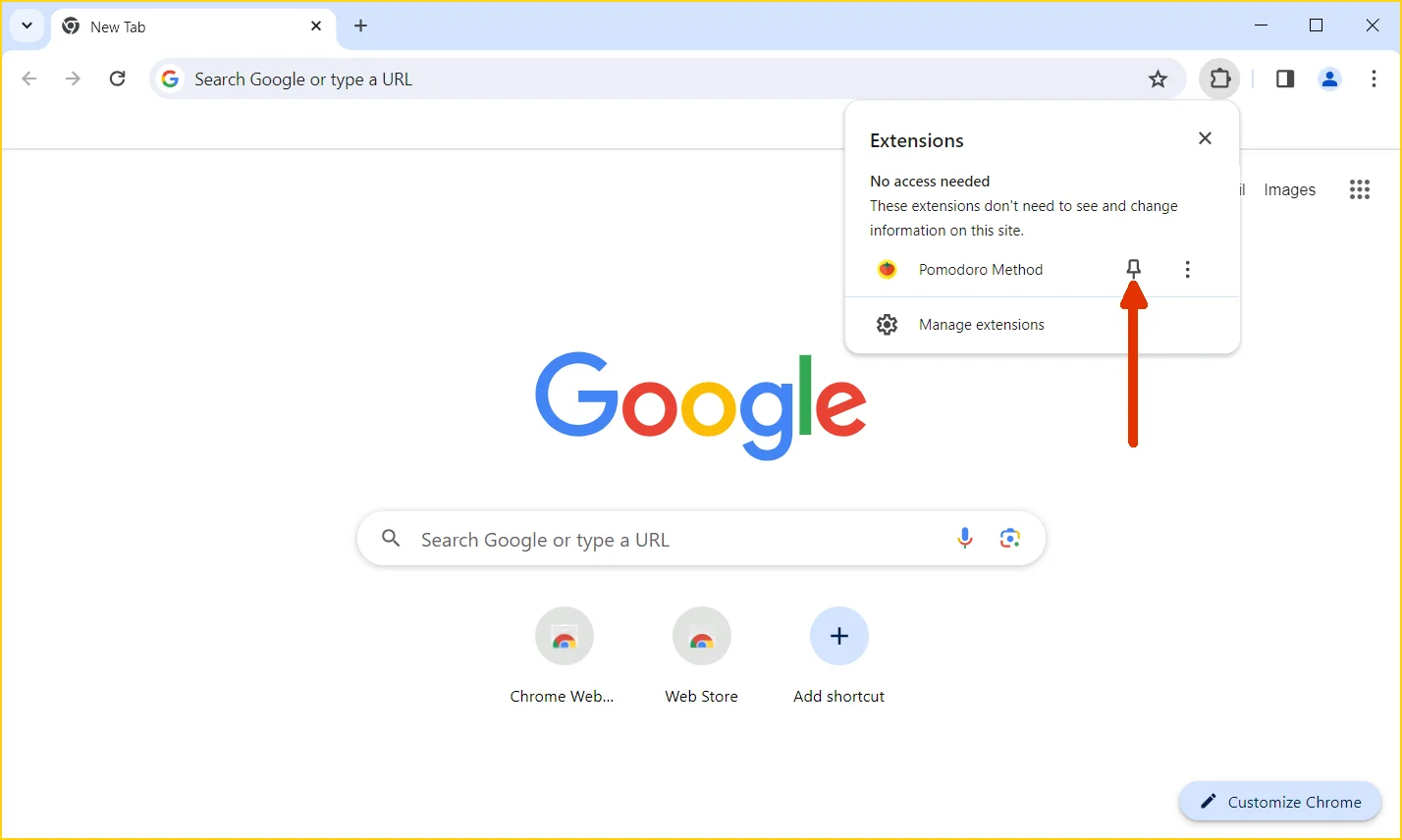
Pin extension to the toolbar
Find the Pomodoro Method extension and click the pin icon to keep it visible in your toolbar
3
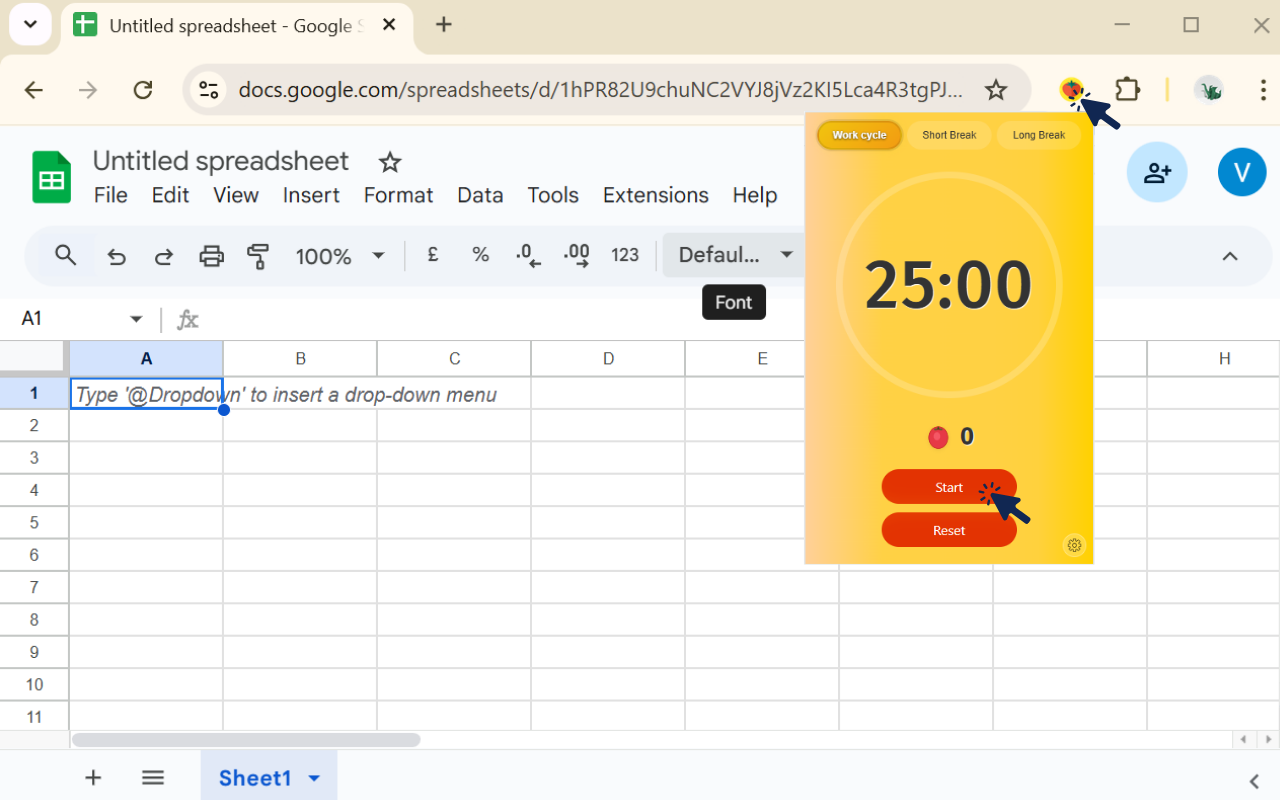
Open Pomodoro Method popup to start the timer
Click the extension icon in your toolbar to open the popup, then click the
Start button to begin your first Pomodoro session
4
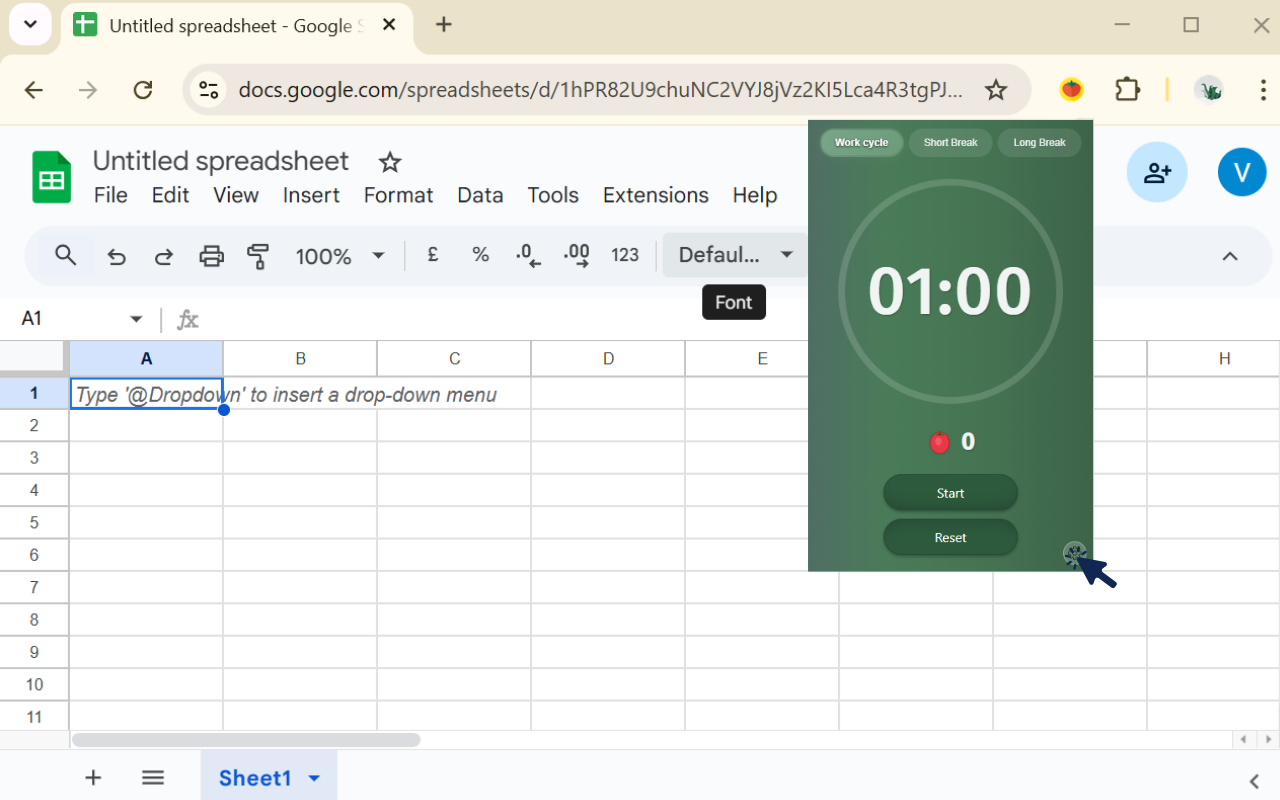
Open settings to customize your timer
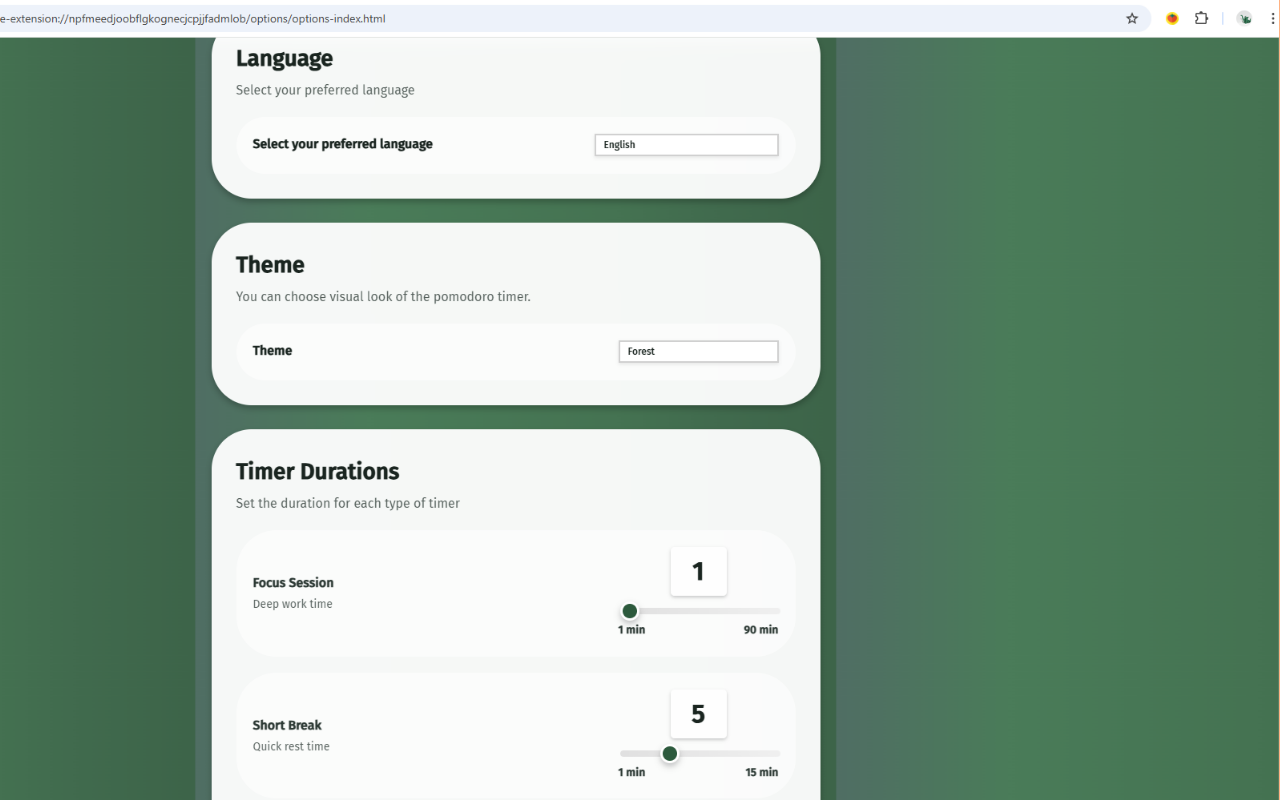
You can open the options page to customize your timer settings and personalize your Pomodoro experience
5
Customize your settings
In the options page, you can customize timer durations, change the theme, select your preferred language, and adjust other settings to personalize your Pomodoro experience
✓
You're all set!